Zum Inhalt springen

Application · Split — two halves

school Vorschau

The school day in one app: timetable, class register, marks, absences, assignments and the line to families. In development — launching autumn 2026.

A school day that fits in one hand.

Status

This is a preview.

school is being built. The launch is planned for autumn 2026 — in time for the school year, which is when you introduce something like this, not halfway through a term.

The pictures on this page come from the running build, not from a mock-up: the screens exist, they work, and what you see on them is test data. What is still missing is set out further down — in a section of its own, not in the small print.

If you are a school or a teacher who wants to come along early, that is exactly what the time until autumn is for. Get in touch and we will work with your timetable instead of ours.

The promise

One app where the school day comes together.

Timetable, class register, marks, absences, exams, assignments, messages — where the teacher actually stands: in the classroom, phone in hand.

A teacher’s day is currently spread across half a dozen tools: the school’s administrative system, a timetabling program, a spreadsheet for marks, a messenger for parents, slips of paper for the rest. Each makes sense on its own and none knows about the others. school starts there — not as another administrative system, but as the view in which the day actually happens.

And school is a standalone application. It needs no learn, no server and no school-wide rollout to get started. What it can do together with learn is set out below — an offer, not a prerequisite.

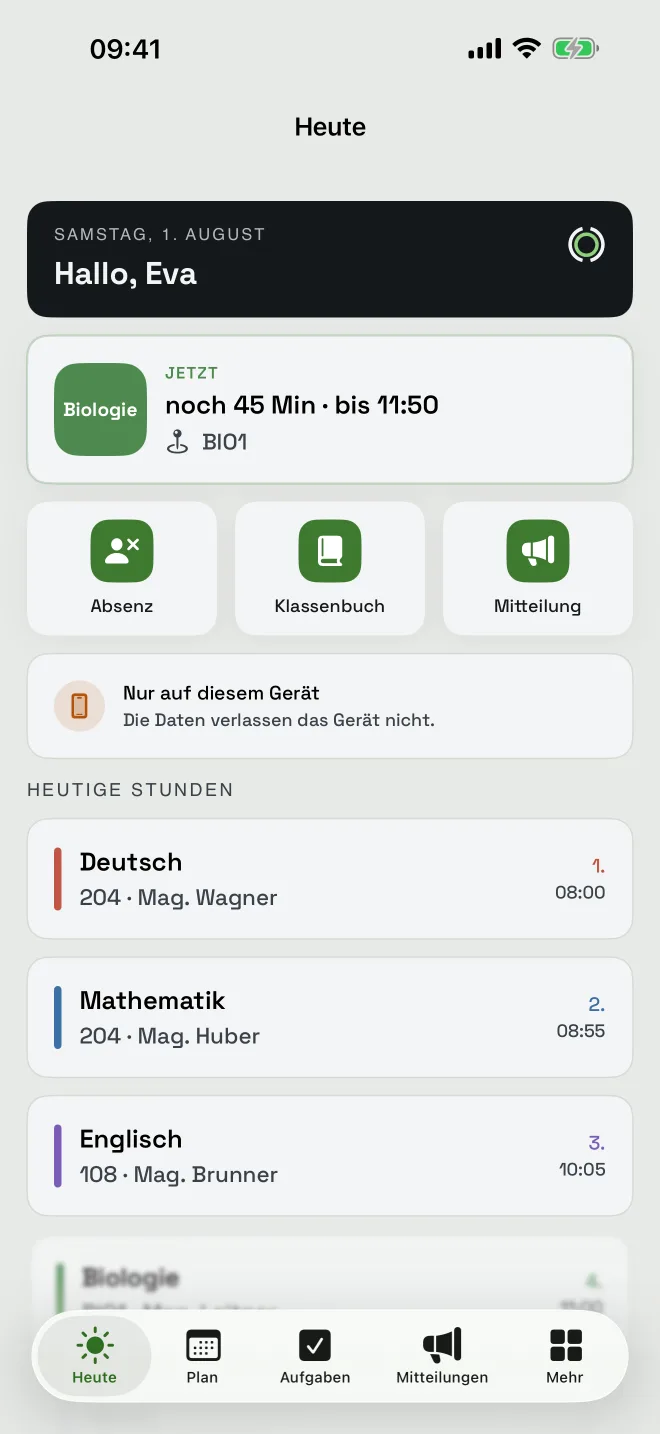
The “Today” screen in school: the lesson currently running with time left, quick actions for absence, class register and message, and today’s lessons below.
Today: what is running, what is next Screenshot of the app in development
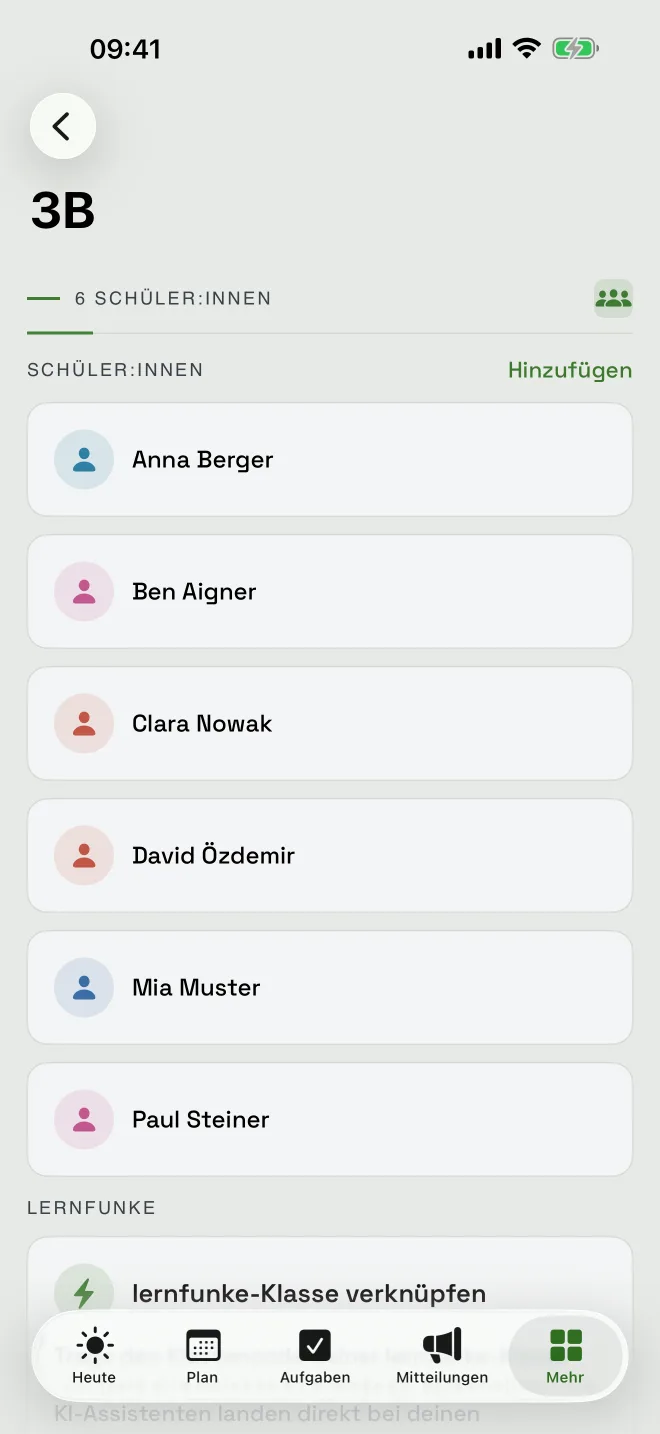
Class 3B with the list of students and the option to link the class to learn.
The class — and the link to learn Screenshot of the app in development

What is in it

Teaching.

Not everything visible at once: “Today” shows the lesson running and what is coming; everything else sits one level down.

Today and timetable

The lesson currently running with time left and room, today’s lessons, the weekly grid. Cover lessons and cancellations appear where you look for them. The timetable can be imported from a WebUntis export.

Class register and weekly content

Lesson topic, homework, attendance — one entry per day and period. What a class covers in a given week can be hung on a curriculum code rather than on free text.

Marks and mark book

Individual marks with weighting, the mark book as a matrix of categories and class, bulk entries and a distribution view. Release is deliberate — only then do students see their marks.

Absences and exams

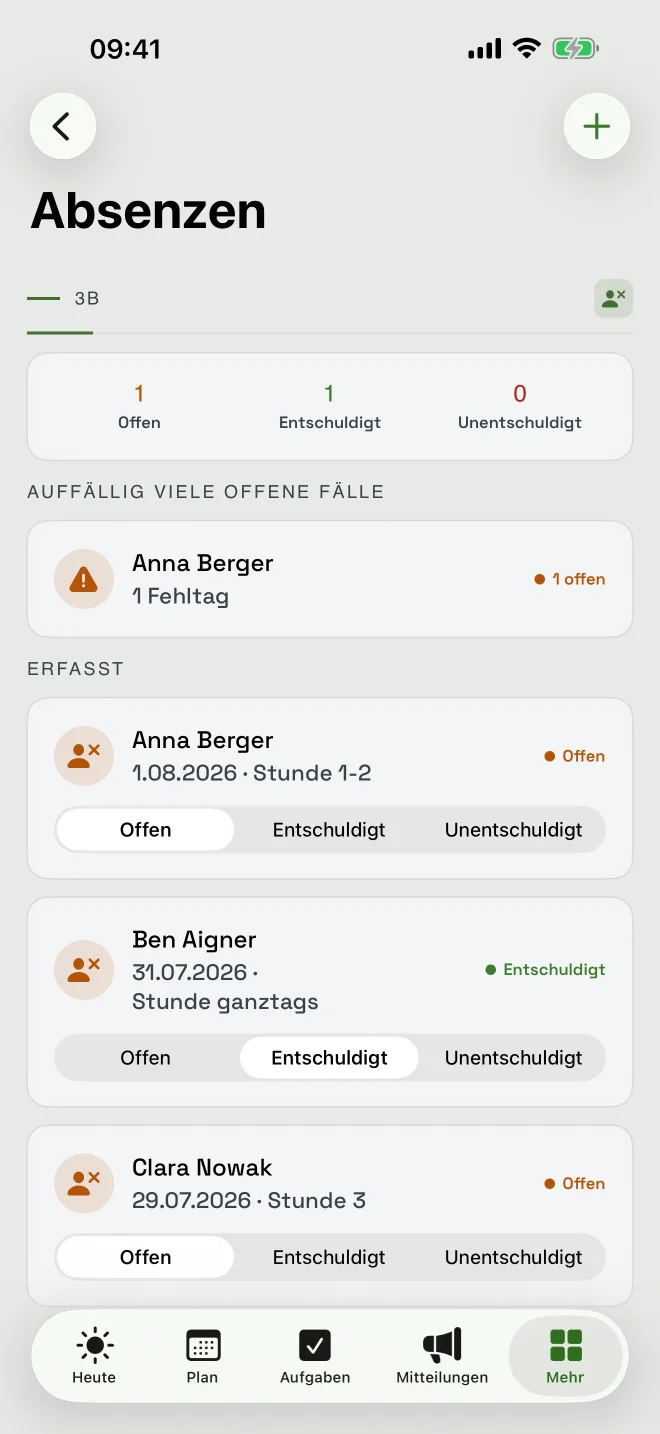
Open, excused, unexcused — with a nudge when open cases pile up for one person. Tests are scheduled; if a week gets crowded the app says so.

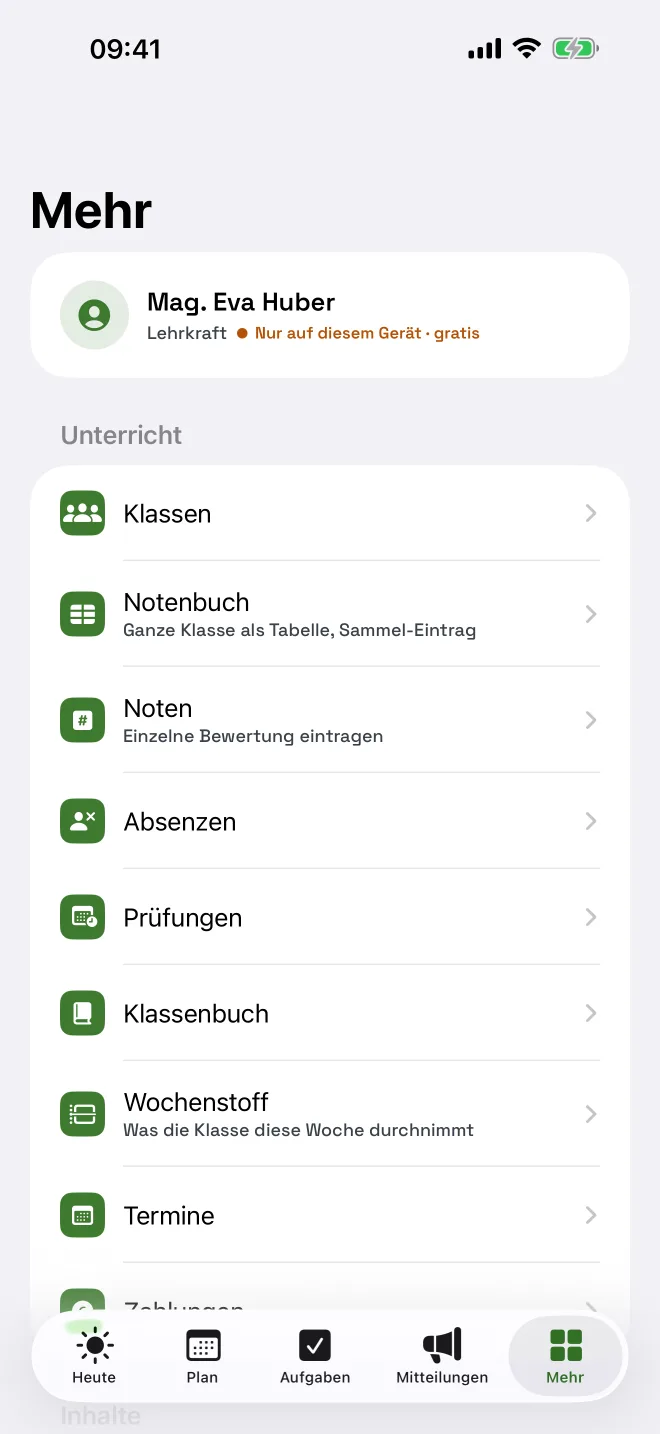
The “More” screen with classes, mark book, marks, absences, exams, class register, weekly content and dates; at the top the profile marked “On this device only”.
Everything else in one place Screenshot of the app in development
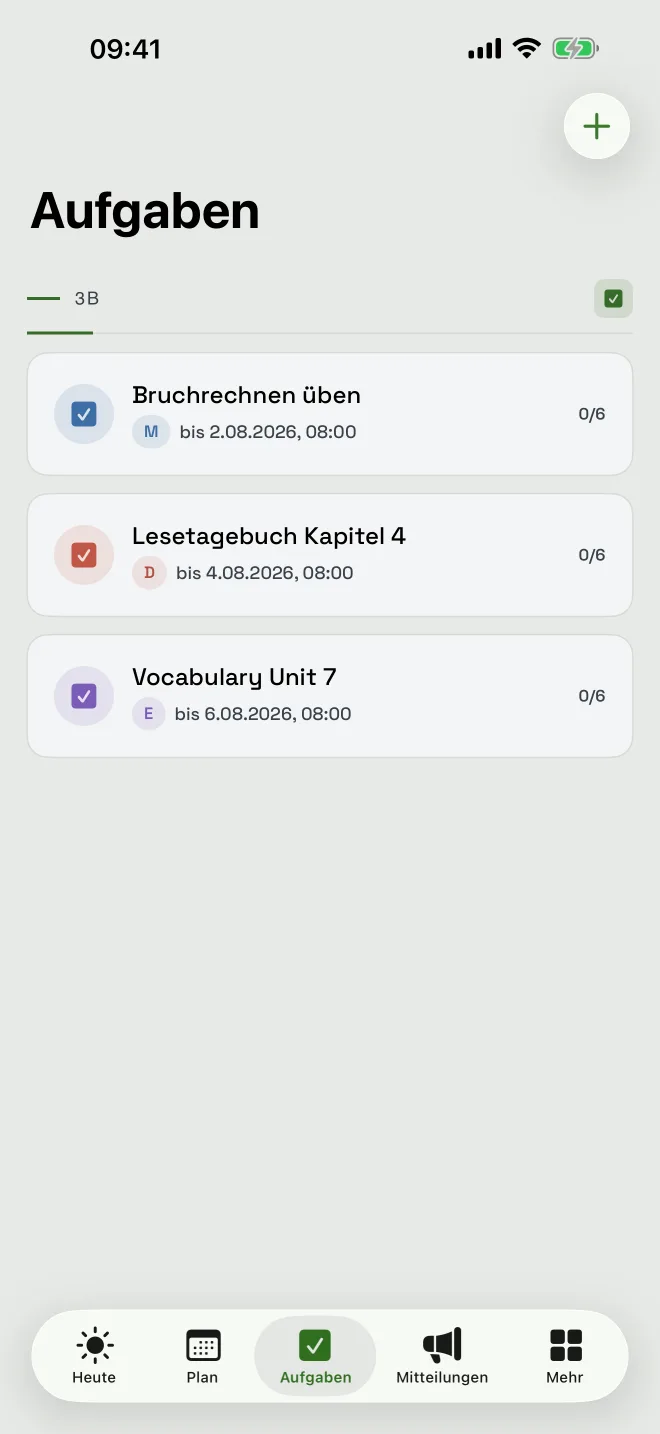
A class’s assignment list with titles, due dates and how many students have handed in.
Assignments with hand-in status Screenshot of the app in development

What is in it

And everything between school and home.

Assignments with hand-in status

One assignment per class, with a due date and a list to tick off. Who still has something outstanding is in the same view, not in a second table.

Messages with acknowledgement

To the school, to a class, to a family. Where an acknowledgement is required, it says by name who has given it and who has not. That is the difference from a message in a chat app.

Parents’ evening, requests, payments

Offer parents’ evening slots and let them be booked, submit and decide leave requests, keep track of cash payments per child. The things that otherwise travel through the class as slips of paper.

Family and channels

One parent account carries several children, paired through a code from the teacher. For coordination there are channels with chat and polls.

Two ways to run it

On this device only — or with a school account.

A single teacher can start straight away, without the school having to introduce, procure or approve anything.

In local mode everything sits encrypted on the phone: classes, marks, absences, class register. No account, no server, no sign-in — and therefore no data processing agreement for one teacher’s list of marks. The note “On this device only” is on the home screen and in the profile, not buried in the settings.

The boundary is stated openly: whatever needs a server does not work locally — chat, parent pairing, parents’ evening, requests, digital hand-ins. The app says so on the spot instead of showing a button that does nothing. Two devices can be reconciled through a sync package; anyone who later moves to a school account takes their local records with them.

Local mode stays free of charge. The school account is paid, and free during the trial.

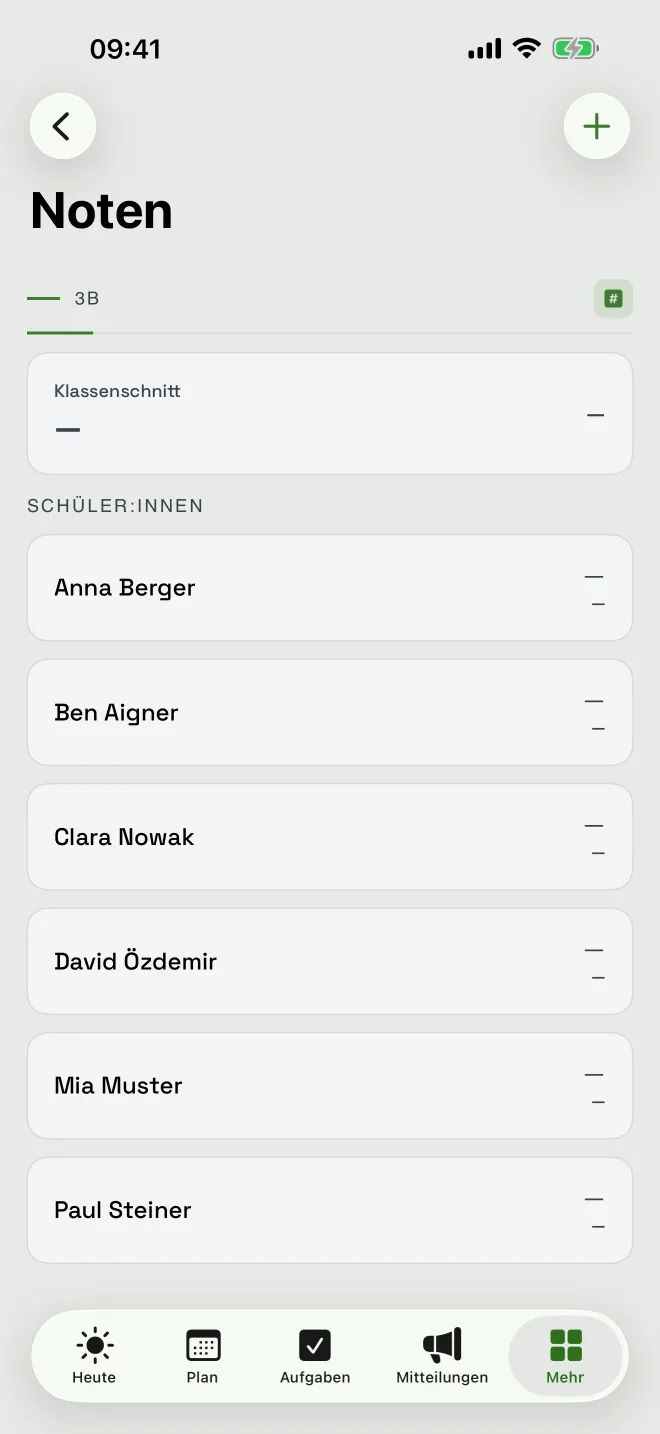
The marks view with the class average and the individual students.
Marks and class average Screenshot of the app in development
Absences with counts for open, excused and unexcused, plus a note about an unusual number of open cases.
Absences — open, excused, unexcused Screenshot of the app in development

Who it is for

Four roles, one set of records.

Teacher, student, parent or guardian, head teacher — each role sees what concerns them, and no more.

Student accounts are pseudonymous: no name in the account, no email address, no date of birth. Parents are only added through a code from the teacher. Who may read which row is decided by the server on every request, not by the interface in front of it.

Built for Austria: the 1-to-5 marking scale, school types from primary through lower secondary, academic and vocational upper secondary to the polytechnic school, years one to thirteen. The curriculum, the final-exam papers and the retention periods are the Austrian ones.
The official student records system stays authoritative. The mark book in school is the teacher’s own record, not a report card — it writes into no official file and replaces no evidence.

With learn

Material becomes an assignment.

The curriculum, the final-exam papers and open educational media are built in — with no learn account, no sign-in, right there in the app.

When you notice mid-lesson that an explanation is missing, you look it up in the app, see it in the original with licence and source, and assign it to the class. The hand-in status is then in the same view. The path is deliberately short; it does not go via your desk.

With a learn account you can do more: link a class to a learn class, hang the weekly content on a curriculum code, release your own source-bound AI assistants for a class. Each of those is a deliberate action and can be undone at any time.

What separates the two is just as deliberate: students’ names stay in school. learn never sees them — not even when a class is linked.

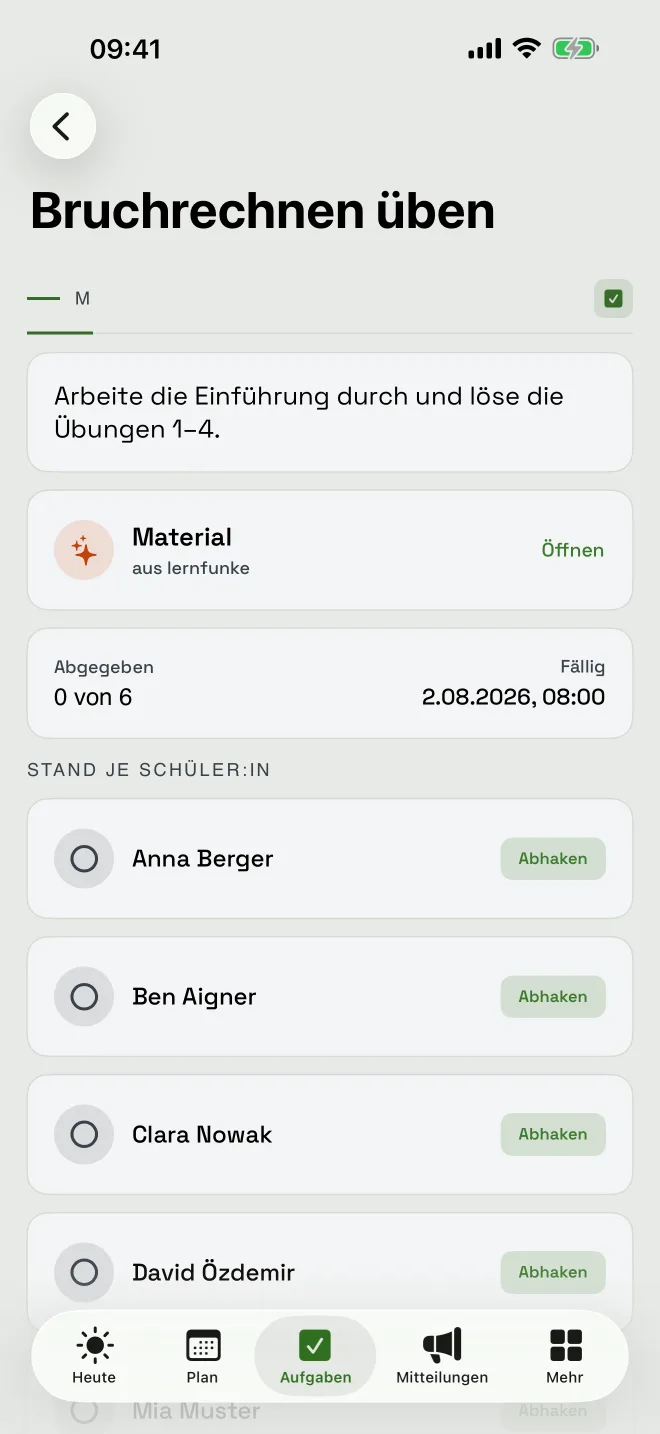
The assignment “Practising fractions” with material attached from learn, a due date, hand-in count and a per-student list to tick off.
An assignment with material from learn Screenshot of the app in development
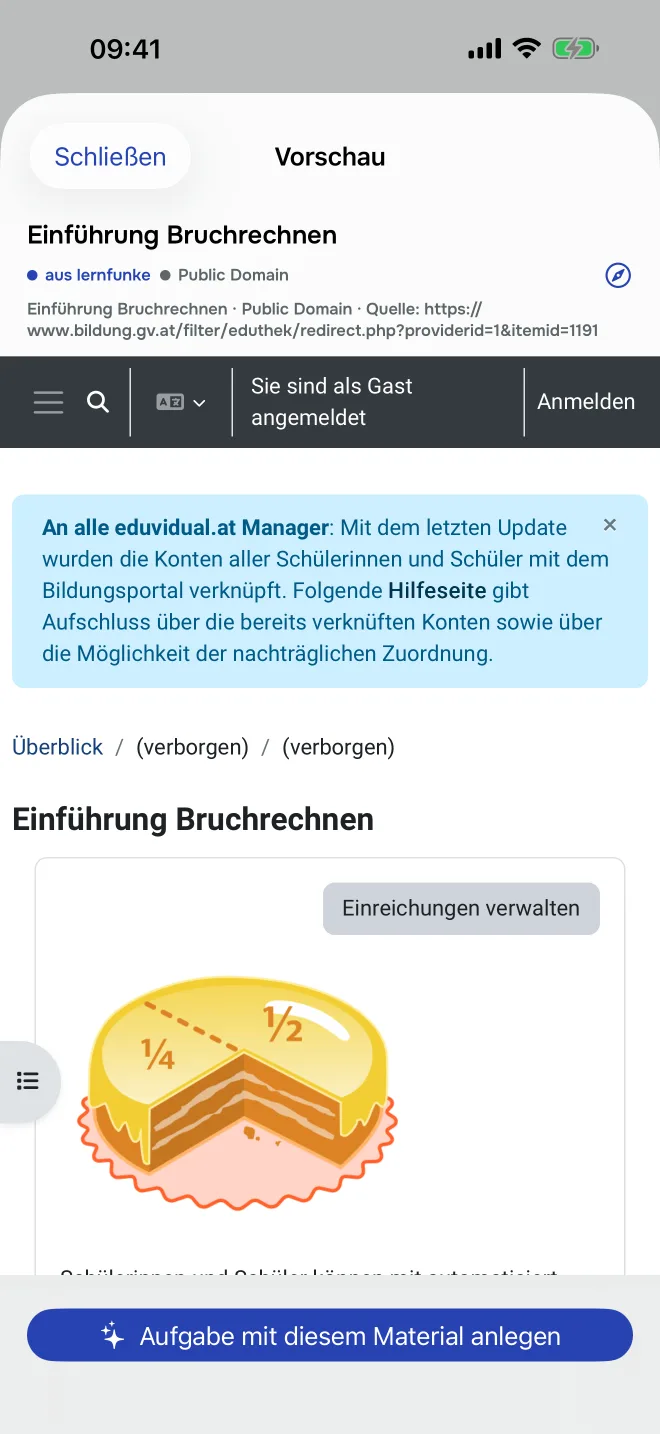
Previewing a piece of material from learn inside school, with licence and source, and a button reading “Create an assignment from this material”.
Material becomes an assignment — with licence and source Screenshot of the app in development

Data protection

School data is children’s data.

The school is the controller, we are the processor. What that means in practice belongs in the contract, not on this page — here is what is built into the tool.

  • Reasons for absence are a choice, not a free-text field. “Ill” is health data; a free-text box next to it collects diagnoses nobody asked for.
  • Notifications carry no content. The lock screen says that something is there, not what. A mark in a preview line is a disclosure.
  • Changes to marks and absence statuses are logged — appended, never overwritten.
  • The lock-screen view stays sparse: lesson, assignment title, first name, class. No marks, no absences, no classmates’ names.
  • Deletion follows fixed periods, and they come from Austrian school law: class register three years, records of participation one year, messages twelve months rolling.
  • No machine assessment of learners. Marks are entered by the teacher; the app works out an average. That is administering what a human judged.

Honestly

What is still missing.

A preview that only shows the finished parts is an advertisement. This is where it stands.

  • Delivery of notifications — devices already register, the sending path is not switched on yet.
  • Printable versions of access cards and letters to parents are prepared but not complete.
  • Uploading files with hand-ins: planned, not built.
  • Trials run on test data only, until the processing agreement, the retention concept and the school’s approval are in place. Real classes come after that, not before.

If something essential is missing that is not listed here, this is the best possible time to say so.

Common questions

From the staff room.


Do we need learn in order to use school?

No. school is a standalone application. The curriculum, the final-exam papers and open material are searchable in the app without a learn account. With a learn account you can additionally link classes and release your own assistants.


Does the school have to introduce anything before I can start?

No. In local mode the phone is enough: everything sits encrypted on the device, there is no account and no server. The step to a school account comes later and takes your records with it.


Does school replace our administrative system?

No, and it is not meant to. The official student records system stays authoritative. school is the teacher’s working view; what belongs in the official file goes there as an export.


What about the timetable from WebUntis?

A calendar or spreadsheet export can be imported. A live connection is planned but not built.


Is there an Android version?

Not at launch. school is built for iPhone and iPad. An Android version is possible but not part of the autumn launch.


What does school cost?

Local mode stays free. The school account is paid and free during the trial. There will be a price list once the launch scope is settled — a number you have to correct afterwards is worse than none.

Do parents see every child’s marks?

No. Parents see their own child, students see themselves — and marks only once the teacher releases them.


Nächster Schritt

Dreißig Minuten, in denen Sie sehen, ob es passt.

Kein Verkaufsgespräch: Sie schildern einen konkreten Fall aus Ihrem Haus, wir zeigen daran, was die Applikation tut — und wo sie an ihre Grenze kommt.